
Cold Email Reply Handling Workflow: Classify, Route, and Act Safely
Build a cold email reply workflow that routes interest quickly, suppresses opt-outs, and keeps AI-assisted actions under human control.
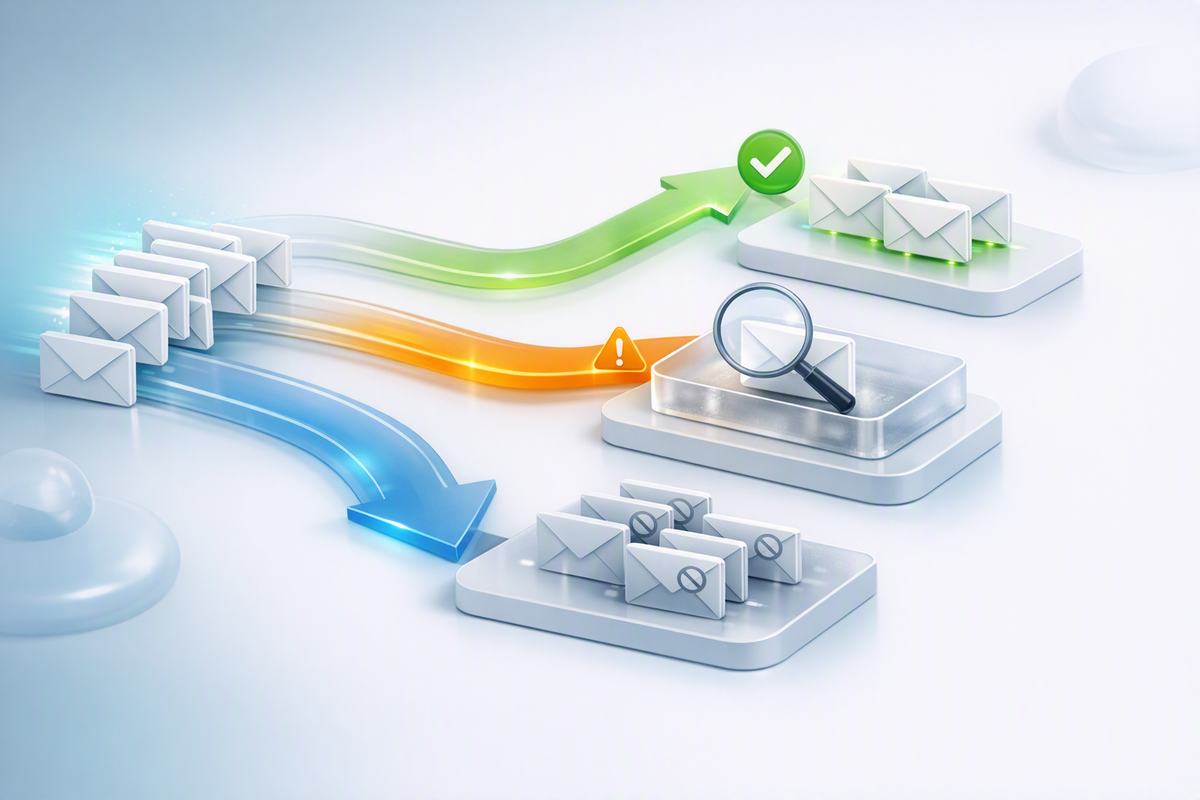
A reliable cold email reply handling workflow classifies every response, suppresses opt-outs immediately, routes genuine interest to an owner, and separates ambiguous messages for review. The safest design lets rules or AI recommend a category while deterministic controls govern suppression, CRM updates, and outbound replies. This prevents valuable responses from sitting unnoticed and reduces the risk of contacting someone who has asked you to stop.
Define reply categories before adding automation
Start with a small taxonomy tied to specific actions. Too many labels create inconsistent reporting; too few can mix sales opportunities with compliance-sensitive requests.
| Category | Typical signal | Required action |
|---|---|---|
| Positive interest | Asks for details, pricing, or a meeting | Assign an owner and create a prompt follow-up task |
| Referral | Names a better contact or department | Verify the new contact before outreach and preserve context |
| Not now | Provides a future date, budget cycle, or trigger | Pause outreach and create a dated reminder |
| Not interested | Declines without an explicit opt-out | Stop the active sequence; define whether future contact is appropriate |
| Unsubscribe or objection | Requests no further email or objects to processing | Suppress according to applicable policy and legal requirements |
| Out of office | Automated absence notice | Extract the return date only if reliable; do not treat it as engagement |
| Wrong person | Denies responsibility without offering a referral | Close the contact and research the account again |
| Ambiguous | Sarcasm, partial answers, mixed intent, or unclear language | Send to human review without an automated response |
Keep unsubscribe status separate from ordinary sales disposition. A prospect can be unqualified and suppressed at the same time, and suppression must survive campaign changes, mailbox migrations, and CRM cleanup.
Build the workflow around controlled state changes
1. Capture the complete reply context
Ingest the sender, recipient mailbox, timestamp, thread identifier, message body, campaign, account, and prior disposition. Normalize quoted text and signatures without deleting the newest message. A classifier that sees only one sentence can misread “not interested last year, but let’s talk now.”
2. Apply deterministic rules first
Use explicit rules for high-consequence signals such as unsubscribe phrases, hard bounces, mailbox blocks, and known internal addresses. Keyword matching alone is imperfect, so uncertain objections should still enter a priority review queue.
Centralize these outcomes in a durable suppression list rather than relying on a campaign-level “do not contact” flag. If multiple tools can send email, every tool should check the same suppression source before enrollment and send time.
3. Use AI for classification, not unrestricted action
An AI model can return structured fields such as category, confidence, requested date, and recommended next step. Validate those fields against an allowed schema. Low-confidence, contradictory, or compliance-sensitive replies should require human review.
Avoid giving a classifier broad permission to send email, modify suppression records, or overwrite CRM data. Instead, place a controlled service between the model and those systems. Review the InboxJoy documentation when mapping sending and mailbox processes into your wider stack.
4. Route by urgency and ownership
Positive replies should reach a named owner through the team’s working channel, not merely receive a CRM label. Include the reply, thread context, account record, suggested action, and deadline in one task. If ownership is unclear, route by territory, account segment, or campaign owner rather than broadcasting every reply to the whole team.
Use different service targets for different categories. An interested buyer is time-sensitive; a reliable future-date request needs accurate scheduling; an unsubscribe needs immediate suppression rather than a sales response.
5. Record every action and exception
Log the original category, confidence, final human decision, automation performed, and timestamp. This creates an audit trail and reveals where rules are weak. Review false positives regularly, especially positive replies classified as out-of-office messages and objections classified as ordinary rejections.
Example of a safe positive-reply path
- The shared mailbox receives: “This could be relevant. Can you send pricing before we book?”
- The system links the message to the contact, account, campaign, and full thread.
- The classifier recommends positive interest and identifies a pricing request.
- A rule pauses the contact’s active sequence to prevent an awkward follow-up.
- The CRM owner receives a task containing the message and approved pricing resources.
- The owner reviews context, writes the response, and records the resulting stage.
The model accelerates triage but does not invent pricing, choose commercial terms, or send without review. Teams can use free InboxJoy tools alongside documented checks when evaluating the health of their outbound setup.
Pre-launch checklist
- Define mutually understandable reply categories and owners.
- Pause active sequences when any human reply arrives.
- Make suppression global, durable, and checked before every send.
- Send unclear intent and legal objections to human review.
- Prevent AI components from gaining unrestricted send access.
- Test forwarded replies, aliases, multilingual responses, and out-of-office messages.
- Verify that CRM failures cannot silently restart outreach.
- Audit samples of classifications and corrected decisions.
Frequently asked questions
Should every cold email reply stop the sequence?
Usually, yes. Pausing on any human reply prevents automated follow-ups from colliding with a live conversation. Out-of-office messages can follow a separate rule, but only when detection is dependable and the resumption date is validated.
Can AI respond automatically to positive replies?
It can draft a response, but human approval is safer when pricing, commitments, security questions, or nuanced intent are involved. If automation is used, restrict it to narrow, approved scenarios with complete logging and an immediate stop mechanism.
How should small teams prioritize replies?
Handle opt-outs and objections first for suppression, then route positive interest and referrals. Batch low-urgency research tasks separately so they do not delay active conversations.
Map your reply states before adding more sending volume. Explore InboxJoy or review available plans when building a more controlled outbound email workflow.



